
Hype Reel
Huoment SuimEntertainment
4.330.00 Reviews
- Version
- 1.9
- Installs
- 10.00K
- Age Rating
- Everyone
Screenshots
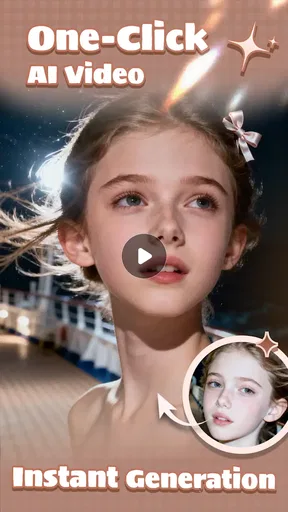
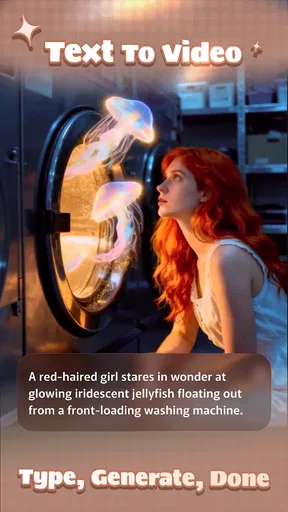
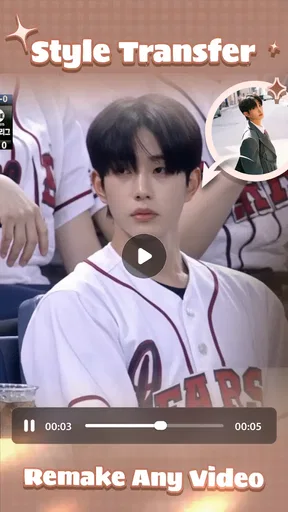
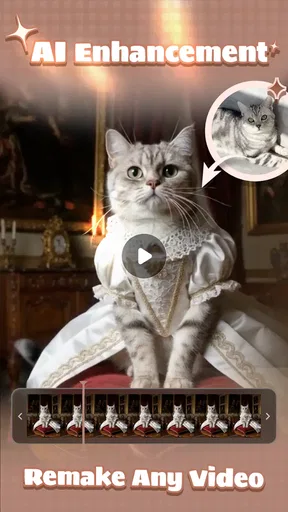
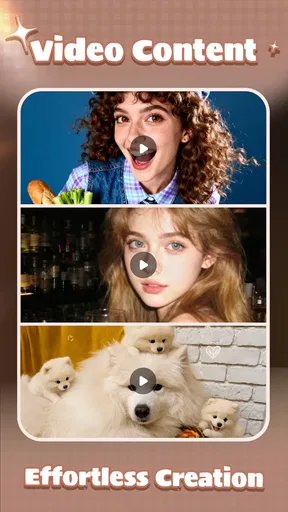
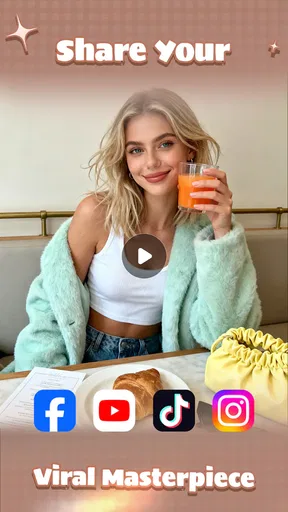
Our Review of Hype Reel
 Analysis by Appyee
I approached Hype Reel as an entertainment app for one simple reason: I wanted to turn an idea into a short video without first learning a full editing suite. Its focus is AI-assisted video making and clip generation, so the appeal is clear for anyone who wants a quick visual result rather than a long session of cutting, arranging, and polishing footage by hand. After spending time with it, I see it as a lightweight creative starting point, especially when the goal is to make something shareable from a prompt, a concept, or a small collection of media.
The first thing to understand is that this is not trying to replace a complete professional editor. I would not choose it for a carefully timed documentary, a complex music video, or a project that needs precise control over every frame. I would choose it when speed and experimentation matter more than detailed manual control. That distinction makes the experience much easier to judge: Hype Reel is most useful when I want to get from “I have an idea” to “I have a presentable clip” with as little friction as possible.
What to expect from Hype Reel
The app sits in the entertainment category and comes from Huoment Suim. It is free to install, with optional in-app purchases ranging from $3.99 to $49.99 per item. That combination makes it approachable for trying the basic experience, but I would still avoid treating the free download as a promise that every creative option will remain available without a purchase. If you are testing several AI video tools, start with a small project before deciding whether the paid choices fit your habits.
Its store summary describes an AI video maker and clip generator, while the short description calls it “Hype Reel.” In practical terms, I would think of it as a tool for creating short, attention-focused visual pieces rather than a traditional timeline editor. The best results are likely to come from a clear, compact idea: a social announcement, a mood clip, a quick highlight, or a playful visual built around a theme.
The app has an average rating of 4.3 from around eight hundred ratings, and it has passed ten thousand installs. Those figures suggest that it has found an audience, although they do not tell me whether it will suit every workflow. The content rating is Everyone, which makes it easier to consider for general household use, but parents should still look at the actual material being created and shared rather than relying only on the age label.
Version 1.9 requires Android 7.0 or later. That is helpful for people using older Android phones, although the quality of an AI video experience can still depend on the device, the available storage, and the stability of the connection used during creation. I would keep some free space available and avoid starting a first project when the phone is already struggling with several demanding apps.
The right mindset for a first project
My strongest advice is to begin with a narrow brief. Instead of asking for “an amazing video,” decide what the clip should communicate, who will see it, and how long you want the viewer to stay interested. A prompt such as “a bright, energetic invitation for a weekend picnic” gives the creative process a clearer direction than a vague request for something exciting. This is one of the less obvious ways to improve the result: the app can only make useful choices when I make the purpose useful first.
I also recommend preparing the words before opening the generator. Write the main message in one or two short sentences, choose the mood, and decide whether the video should feel playful, dramatic, calm, or celebratory. This prevents the first session from becoming a cycle of random generations. AI tools are fun to explore, but a little planning makes the output feel intentional instead of merely automatic.
Getting through the first setup
After installing Hype Reel, I would start by looking for the most direct route into creating a clip rather than exploring every visible option immediately. A first-time user can easily lose momentum by tapping through settings without knowing what each choice will affect. The goal of the first session should be modest: create one complete test, inspect it, and learn how the app expects ideas to be expressed.
Before committing to a longer concept, prepare a short piece of source material or a simple visual direction. If the app presents a choice between generating from an idea and working from existing media, I would select the path that requires the least preparation for the first attempt. Existing photos can be useful for a personal memory or event, while a text-led concept may be better for a quick announcement or a stylized clip.
One practical trade-off is control versus speed. The more I ask an automated system to decide, the faster I can reach a draft, but the less predictable the exact composition becomes. If your priority is a polished brand asset with fixed colors, exact typography, and strict timing, a conventional editor will probably be the better tool. If your priority is discovering a visual direction quickly, automation is the advantage here.
It is also worth deciding where the finished video will be used before creating it. A clip intended for a private message can tolerate a different rhythm from one meant for a public feed. Vertical viewing, readable text, and a strong opening matter more when people may see the video on a phone and scroll past quickly. Even without changing many settings, thinking about the destination helps me judge whether the result is actually successful.
How I would reach a first meaningful result
For a first attempt, I would use a simple three-part structure: an opening that establishes the subject, a middle that adds the main detail, and an ending that gives the viewer a reason to remember or act on it. For example, a small event clip could begin with the event name, move to the date and place, and finish with a friendly invitation. This structure is more reliable than trying to describe a complicated story in one instruction.
Keep the first text short enough to read without pausing. Automated video can look attractive while still failing as communication if the message flashes by or gets buried under visual movement. I would inspect the finished clip with the sound off as well as on. That quick check reveals whether the visuals and captions carry the idea by themselves, which is important when a viewer encounters the video in a silent environment.
Another useful habit is to change one thing at a time between attempts. If the first result feels too busy, simplify the wording rather than rewriting the entire concept and changing the mood at once. If the tone is wrong, adjust the tone while keeping the subject stable. This makes the app easier to learn because I can connect a change in my instruction with a change in the result.
The first successful action is not necessarily producing something perfect. For me, success means creating a clip that communicates one clear idea and needs only minor adjustment before I would show it to someone else. That standard is realistic for an AI-based creator and keeps the first session encouraging instead of turning it into a search for an impossible one-tap masterpiece.
Where first-time users may get confused
The biggest possible confusion is assuming that “AI video maker” means the app will understand an incomplete thought exactly as I imagined it. AI generation is interpretive. A phrase that feels precise to me may still leave room for choices about pacing, imagery, emphasis, and mood. When the output misses the point, I would first improve the instruction rather than conclude that the whole app is unreliable.
A second source of friction is the difference between a draft and a finished communication. Automated tools often make it easy to produce something visually lively, but lively is not the same as readable. Check the first few seconds, the final message, and any important names or details carefully. If a clip is meant for an invitation, announcement, or personal milestone, accuracy matters more than decorative movement.
Users may also wonder when a purchase becomes necessary. Since the app is free with optional purchases, I would explore the available creation path with a small, low-stakes project first. Watch for any point where a particular option, output, or workflow asks for payment, then decide whether that specific benefit is worth the cost for you. Do not buy simply because the first draft needs improvement; refine the concept and evaluate the free experience before spending.
There is a practical difference between wanting a clip and wanting an editable project. If you mainly need a finished visual to share, Hype Reel’s automated approach can save time. If you need to return repeatedly to a detailed timeline, adjust individual layers, or maintain exact brand consistency across many versions, a dedicated editor may provide a more dependable long-term workflow. I would use Hype Reel for ideation and quick output, then move to a more controlled tool when precision becomes the central requirement.
Another question is whether the app is suitable for children simply because it is rated Everyone. I would say it is suitable for general audiences in the broad sense, but supervision is still sensible when young users are creating or sharing media. The important issue is not just the app’s category; it is the context of the material, the audience receiving it, and whether the child understands what they are publishing.
Everyday situations where it makes sense
Imagine I am organizing a small birthday gathering and want a quick invitation for a family group chat. I could build a short concept around the theme, include the essential details, review the wording, and use the result as a more engaging alternative to a plain message. The value is not that the app replaces the invitation itself; it gives the event a visual introduction without requiring me to animate every element manually.
It can also help when I have several holiday photos but no patience for arranging them in a traditional editor. A short memory clip can be a good test because the emotional value comes from the images and the sequence, not from complex production. I would still check that the most important photo appears where I want it and that the ending does not feel abrupt.
For a small creator, the app may be useful for trying several opening ideas before investing time in a larger video. Generate a quick visual direction, identify what feels right, and use that insight in a more controlled editor if necessary. This makes Hype Reel a sketchbook as much as a final-output tool, which is a more realistic and valuable role than expecting it to handle every stage of a production.
It is less suitable for someone who dislikes experimentation. If you want exact, repeatable results from the first attempt, the automated process may feel unpredictable. It is also not my first choice for sensitive announcements, detailed instructional content, or anything where a small wording or visual mistake could cause confusion. In those cases, manual review and precise editing deserve priority over speed.
How it compares with familiar alternatives
Compared with a standard mobile video editor, Hype Reel reduces the amount of manual assembly. A traditional editor gives me a timeline, individual controls, and a clearer sense of where every element comes from. That is better when I already know the final design. Hype Reel is more appealing when I know the message but do not yet know the visual treatment.
Compared with a slideshow maker, the AI approach can feel more idea-led than template-led. A slideshow usually begins with a fixed arrangement that I customize. Hype Reel is better suited to users who want the system to help shape the clip from a theme or concept. The trade-off is that a template can be more predictable, while generated results may need more inspection before sharing.
Compared with professional creative software, the attraction is obvious: a shorter path from thought to draft. The cost is depth. Professionals who need layered editing, exact timing, repeatable assets, and detailed revisions will likely be happier elsewhere. I would not see that as a failure of Hype Reel; it simply defines the app as a fast entertainment and ideation tool rather than a full production environment.
The most effective workflow may combine tools instead of choosing only one. I would use Hype Reel to explore a concept, select the strongest direction, and then use a conventional editor if the project needed exact finishing. That approach turns the app’s unpredictability into a creative advantage while keeping important final decisions under my control.
My recommendation after using it
Hype Reel is worth trying if you want a quick, approachable way to turn a short idea into an entertaining video draft. Its free entry point, Everyone content rating, support for Android 7.0 and later, and focused AI workflow make it easy to consider for casual creators, families, students, and small social projects. The current version is 1.9, and the app has enough public interest to make a trial feel reasonable rather than speculative.
I would recommend starting with one small project, keeping the message concise, and judging the result with both sound and silence. Treat the first output as a draft, not a final guarantee. Check names, dates, captions, pacing, and the opening moment before sharing. Those few checks make a bigger difference than repeatedly pressing generate without changing the brief.
I would skip it if your main need is a deeply editable timeline or exact professional consistency. A traditional editor will be slower at the beginning but more dependable when every detail matters. I would also be cautious about paid purchases until I know which part of the workflow I actually use. The optional items can be useful for committed users, but casual experimentation does not automatically justify spending.
For me, the app’s strongest role is helping a blank page feel less intimidating. It gives an idea a visual form quickly, and that can reveal whether the concept is worth developing. Use it as a fast creative launchpad, review every important detail yourself, and move to a more precise editor when the project demands control. With that expectation, Hype Reel is a friendly entertainment app rather than an overpromised replacement for every video tool.
Verdict
Strengths of Hype Reel
- Fast-paced short videos make it easy to discover fresh content.
- Simple scrolling interface feels intuitive for first-time users.
- Personalized recommendations improve as you interact with videos.
- Useful for creators seeking quick exposure to a wider audience.
- Lightweight format works well for short breaks and casual viewing.
Limitations of Hype Reel
- Content quality can vary significantly between different creators.
- Frequent autoplay may consume mobile data faster than expected.
- The recommendation feed may become repetitive over time.
- Some videos rely heavily on trends rather than original ideas.
- Privacy-conscious users may dislike extensive personalization features.
Similar Picks in This Category
View All
Google Play Games
Google LLC3.9

Netflix
Netflix, Inc.4.8

YouTube Kids
Google LLC4.2

Disney+
Disney4.4

Prime Video
Amazon Mobile LLC4.7

Steam
Valve Corporation3.2
Frequently Asked Questions
What is Hype Reel and what can I use it for?
Hype Reel is designed for creating and sharing short-form video content with an emphasis on fast, engaging edits. Users can typically record clips, combine media, add music or sound, apply visual effects, and publish finished reels. Before downloading, remember that the available tools, templates, and sharing options may depend on your device, app version, region, and whether you sign in with an account.
Is Hype Reel free to download and use?
Hype Reel may be available as a free download, but some features can require in-app purchases, a subscription, or access to premium content. These restrictions may apply to advanced editing tools, exclusive templates, music, effects, export options, or the removal of advertising and watermarks. Check the current store listing and subscription terms carefully before confirming any purchase.
Does Hype Reel require an account or an internet connection?
Some basic functions may work without creating an account, but an account could be required for publishing, saving projects online, synchronizing content, following creators, or using social features. A stable internet connection is generally recommended when downloading media, loading templates, browsing content, or sharing videos. Offline editing availability can vary depending on the app version and device.
Is Hype Reel suitable for beginners in video editing?
Hype Reel is generally aimed at users who want to create attractive short videos without learning complicated professional editing software. Preset effects, templates, music controls, and straightforward editing tools can make the first projects easier to complete. However, beginners should still expect to spend time understanding export settings, permissions, privacy options, and any limits placed on free tools.
What privacy and device permissions does Hype Reel use?
Because Hype Reel focuses on video creation and sharing, it may request access to your camera, microphone, photos, videos, and notifications. Social features may also involve profile information or account details. Review each permission request instead of approving everything automatically, and check the app’s privacy policy to understand how uploaded content, usage data, analytics, and advertising information may be handled.
